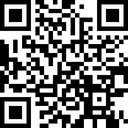
Create a QR code with your own image
Blend your photo into a QR code for a link or text. Adjust color, strength and detail, then download a PNG for free without signing up.
Create your photo QR codeA photo inside the QR pattern
boring qrs maps your image into the light and dark modules of a QR code. It keeps the recognizable corner markers and a clear border. This is different from a QR code that simply links to an uploaded photo: the photo becomes part of the visible design.
Make your first image QR code
Open the generator, enter a short destination URL or text, and upload a photo. Start at 50–70% strength and compare grayscale with color. Adjust detail until the subject is recognizable, scan the preview, then download the PNG. Test the downloaded file too.
Pick a photo that survives the pattern
A clear subject and distinct light and dark areas usually work better than a busy collage. Crop around the subject before uploading. If the pattern hides the subject, try another crop; if scanning fails, reduce the blend strength or use stronger contrast.
What the scan opens
Scanning returns the link or text you entered. Your photo is not uploaded as a hosted file, and the exported code does not provide click analytics or editable destinations. Use a URL you control if you need to update the content behind the link.
Questions and answers
What is an image QR code?
An image QR code blends a photo into the QR pattern while encoding a link or text. The photo is part of the design; scanning reads the encoded data, rather than downloading the original image.
Are my uploaded images sent to a server?
QR generation and processing of uploaded photos happen in your browser. The optional random-photo button requests an image from an external provider.
Do these QR codes expire?
The QR pattern directly encodes your data and has no service-controlled expiry. A linked website can still move, expire, or become unavailable. You cannot change the encoded destination after exporting the PNG.