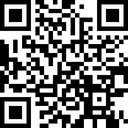
Turn a portrait into QR code art
Create a photo QR code with a portrait or face for a profile, portfolio, or business card. Free browser-based generator with PNG downloads.
Create your photo QR codeUse a face people can recognize
Choose a well-lit portrait with a simple background. A face that fills much of the square crop is easier to recognize than a small face in a group photo. Use a photo you own or have permission to publish.
Connect the portrait to your profile
Enter your public portfolio, social profile, or contact-page URL. Upload the portrait, compare grayscale and color, and adjust the strength while keeping enough contrast to scan. The code encodes that destination; it does not automatically create a contact card.
Try it on a digital business card
Download your PNG and place it beside your name and a readable URL. Leave the QR border clear. Preview it at the actual display or print size and try more than one phone. Keep a plain QR alternative if your design cannot scan reliably.
Questions and answers
Can I make a QR code with a face or landscape?
Yes. Upload a portrait, landscape, or brand image, enter your link or text, and adjust strength, color mode, and detail. Choose a high-contrast photo and test the exported PNG.
Will every artistic QR code scan?
Scanning depends on the photo, contrast, blend strength, size, lighting, and camera. Start around 50–70% strength, then test with multiple phones before sharing or printing.